


How to Use the cTrader Simulator to Practice Forex Prop Firm Trading
If you’re preparing for a forex prop firm challenge, practicing in the right environment matters just as much as your strategy. Many traders fail not because their system is weak, but because they haven’t trained under realistic conditions. This is where the cTrader simulator becomes a powerful tool.
In this guide, you’ll learn how to use the cTrader simulator step by step, how to structure your practice like a real prop firm account, and how traders preparing for forex prop firms like Pipstone Capital can use it to sharpen execution, discipline, and risk control before trading real capital.
Why Simulation Is Critical for Prop Firm Traders
Prop firm trading is different from personal retail trading. You’re not just trying to make money. You’re trying to follow rules.
Most prop firms enforce:
Maximum daily drawdown
Overall drawdown limits
Fixed or relative risk rules
Profit targets
Psychological pressure from evaluation phases
A simulator lets you experience all of this without financial consequences. It creates a safe space to make mistakes, refine your process, and build consistency before you step into a live or funded environment.

What Is the cTrader Simulator?
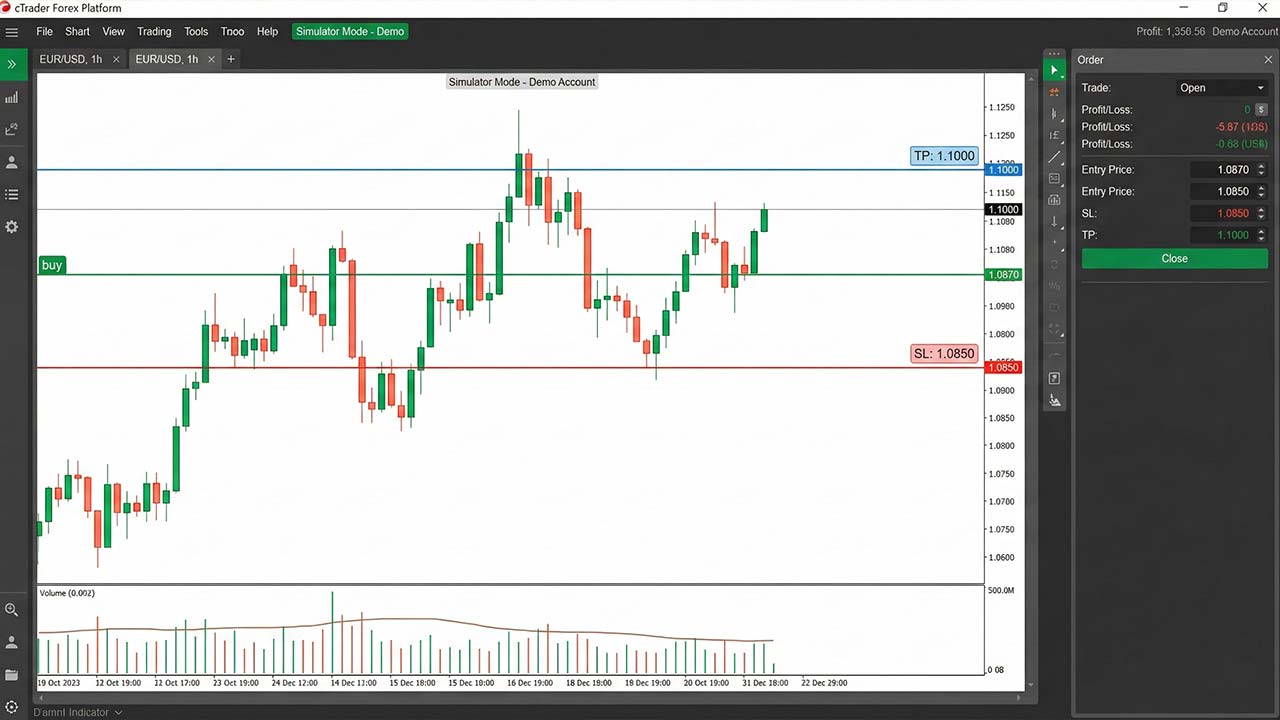
The cTrader simulator is a practice environment that allows traders to:
Trade in real market conditions
Use historical or live price data
Execute trades exactly as they would in a real account
Analyze performance with detailed trade statistics
Unlike basic demo accounts, the simulator helps you practice with intent, not just place random trades. It’s especially useful for traders targeting prop firms that value precision and discipline.
Why cTrader Is Ideal for Prop Firm Preparation
cTrader is widely used by professional traders because of its clean interface and execution-focused design. For prop firm traders, it offers key advantages:
Clear depth-of-market and order execution
Advanced charting without clutter
Precise stop-loss and take-profit placement
Strong risk management tools
Transparent trade history and analytics
Firms like Pipstone Capital favor platforms like cTrader because they encourage structured, rules-based trading rather than impulsive behavior.
Step 1: Setting Up cTrader for Simulation Trading
Before placing a single trade, your simulator setup must reflect real prop firm conditions.
Choose the Right Account Parameters
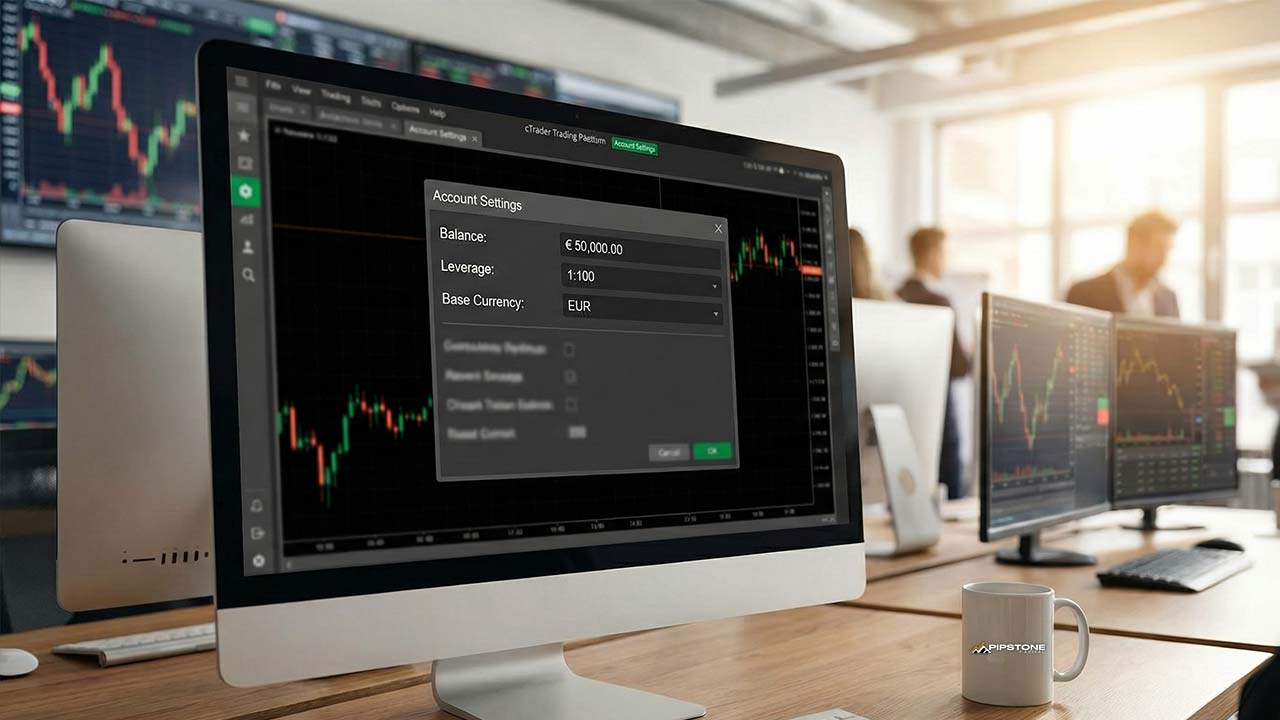
Match your simulator account to a realistic prop firm profile:
Starting balance (e.g., $10,000, $50,000, or $100,000)
Leverage similar to what the firm offers
Base currency aligned with the challenge
This matters because risk percentages feel very different depending on account size. If you want a practical walkthrough beyond simulation, this pairs well with learning how to use cTrader for funded account challenges, which breaks down real challenge execution on the same platform.
Use Clean Charts
Avoid overloading your charts. Most prop traders fail by adding too many indicators. Start with:
One or two core indicators
Clear support and resistance levels
A consistent timeframe structure
Simulation is about clarity, not complexity.
Step 2: Define Your Prop Firm Rules Before Trading
The biggest mistake traders make in simulators is trading without rules. Treat your simulator like a strict evaluation phase.
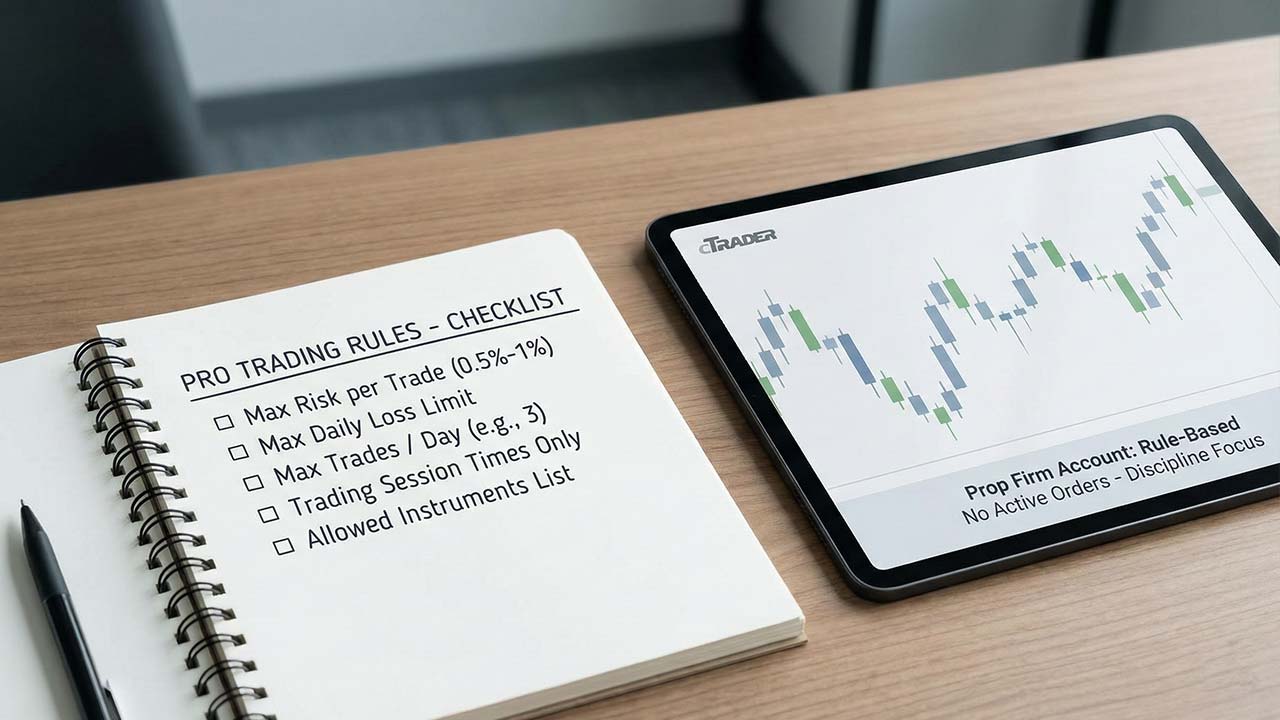
Before starting, write down:
Maximum risk per trade (usually 0.5%–1%)
Maximum daily loss
Maximum number of trades per day
Trading session times
Instruments you are allowed to trade
For example, if you’re preparing for Pipstone Capital, simulate their no-time-pressure environment while still respecting drawdown and risk discipline. This works best when your simulator rules are aligned with a structured framework like the winning trading plan to pass your forex funded account challenge, so every simulated session follows the same logic you would use in a real evaluation.
Step 3: Simulate Real Market Conditions
The value of the cTrader simulator comes from realism.
Trade Only During Active Sessions
Avoid random trading at low-liquidity hours. Focus on:
London session
New York session
London–New York overlap
This trains you to read momentum, volatility, and price behavior under conditions that matter in prop firm trading.
Avoid Overtrading
One of the silent killers in prop firm challenges is overtrading. Use the simulator to:
Practice patience
Wait for high-quality setups
Accept that some days are no-trade days
Simulation is where discipline is built. This is also where understanding what prop trading is and why traders are switching helps frame simulation as professional preparation, not casual practice.
Step 4: Practice Risk Management Like a Funded Trader
Risk management is the real skill prop firms evaluate.
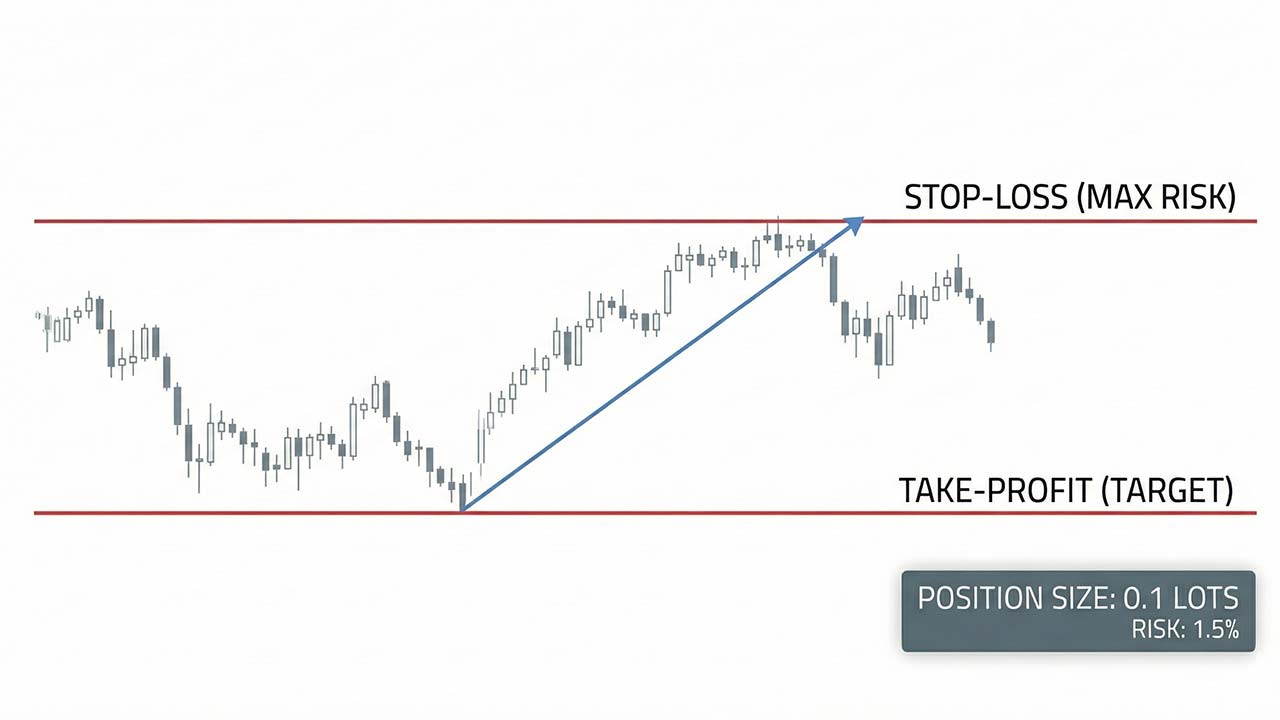
Fixed Risk Per Trade
Use a consistent percentage risk on every trade. This helps you:
Control drawdowns
Maintain emotional stability
Build predictable equity curves
Traders who want to go deeper here often follow a structured approach to risk management in cTrader, which aligns position sizing, stops, and drawdown control with prop firm rules.
Stop-Loss Discipline
Never move stop-losses in cTrader simulator unless your strategy allows it. If you wouldn’t do it in a funded account, don’t do it here.
Risk-to-Reward Awareness
Use simulation to test:
Whether 1:2 or 1:3 setups fit your psychology
How often your strategy hits targets versus stops
How drawdowns feel emotionally
This self-awareness is critical before trading real capital. Many traders reinforce this by reviewing forex trading techniques that improve discipline and execution alongside their simulator performance.
Step 5: Journal Every Simulated Trade
A simulator without journaling is wasted effort.
After each trade, record:
Entry and exit reasons
Time of day
Market structure
Emotional state
Whether rules were followed
Over time, patterns emerge. Journaling also helps traders decide whether discretionary execution or automation fits them better, which is explored further in building a winning cTrader cBot strategy for prop traders. You’ll see whether losses come from poor analysis or poor discipline. Prop firms don’t fail traders for losing trades. They fail traders for rule-breaking behavior.
Step 6: Review Performance Weekly, Not Daily
Many traders sabotage themselves by checking results too often.
Use the cTrader analytics to review performance weekly:
Win rate
Average risk-to-reward
Drawdown depth
Consistency of execution
This long-term view mirrors how prop firms assess traders. It also aligns closely with how funded forex accounts work and how traders qualify for them, where consistency outweighs short-term spikes. Short-term fluctuations matter far less than steady, controlled performance.
Step 7: Simulate Evaluation Phases Properly
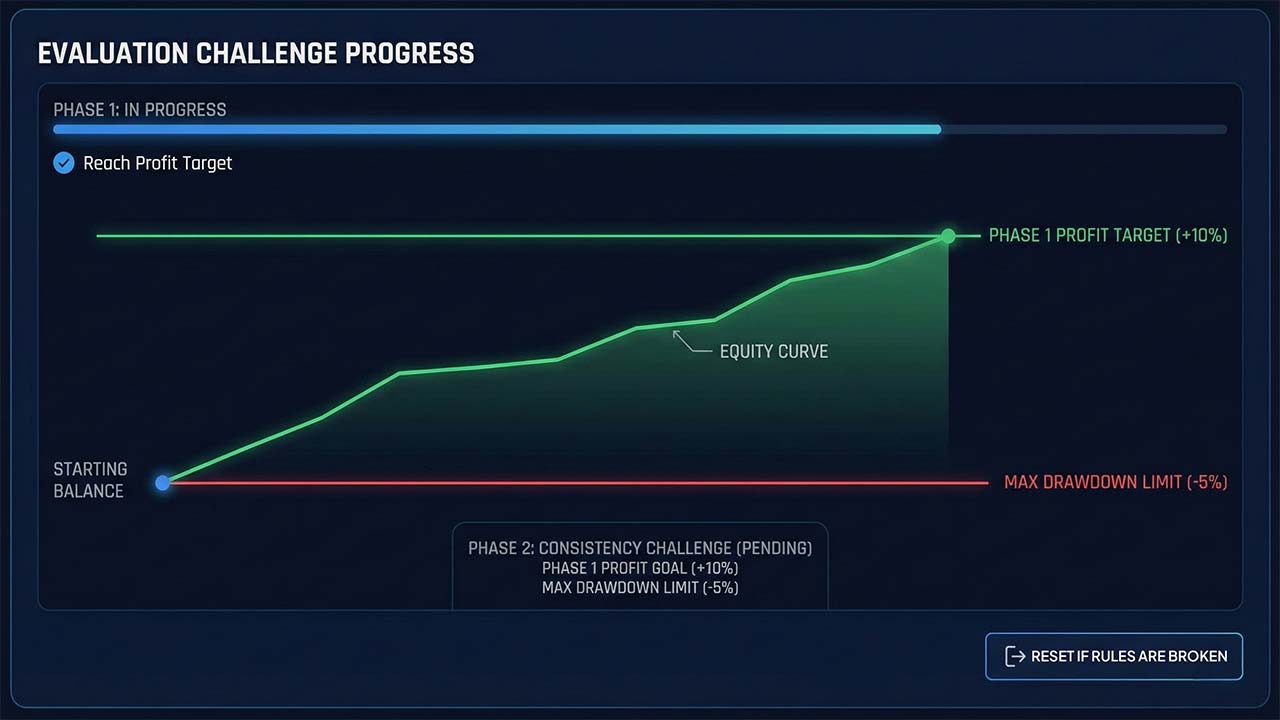
To truly prepare for a prop firm challenge, structure your cTrader simulator like an evaluation.
Phase-Based Simulation
Phase 1: Reach a profit target without breaking rules
Phase 2: Maintain consistency with reduced pressure
Reset if rules are broken
This mental framing trains you to handle pressure before it’s real. Traders who prefer slower, structure-based approaches often test this phase using concepts from swing trading forex strategies to reduce overtrading during evaluations.
Common Mistakes Traders Make in cTrader Simulation
Even with a powerful simulator, many traders practice the wrong way.
Treating Simulation Casually
If you don’t respect simulator losses, you won’t respect real losses.
Ignoring Drawdown Rules
Prop firm failures almost always come from drawdown violations, not lack of strategy.
Strategy Hopping
Simulation is not for testing ten strategies at once. Pick one system and refine it.
How Pipstone Capital Traders Use Simulation Effectively
Traders preparing for Pipstone Capital often use the cTrader simulator to:
Practice under no-time-limit conditions
Focus on precision instead of rushing profits
Build confidence before scaling accounts
Develop consistency without emotional pressure
When to Move From Simulator to Live or Challenge Accounts
You’re ready to transition when:
You follow rules automatically
Drawdowns stay controlled
Losses no longer trigger emotional reactions
Your process feels repeatable, not forced
If you can’t stay disciplined in simulation, real money will only amplify the problem.
Final Thoughts
The cTrader simulator is not just a practice tool. It’s a training ground for professional behavior.
When cTrader Simulator is used correctly, it helps you:
Think like a funded trader
Respect risk
Build emotional control
Prepare for real prop firm evaluations
Whether you’re aiming for your first challenge or scaling toward larger accounts, structured simulation is one of the smartest steps you can take. For traders targeting firms like Pipstone Capital with no consistency rule, mastering the simulator often becomes the difference between repeated failures and long-term success.
Frequently Asked Questions (FAQ): CTrader Simulator
Is the cTrader simulator the same as a demo account?
Not exactly. A standard demo account lets you trade live market prices, but most traders use it casually. The cTrader simulator is effective only when you structure it like a real prop firm account, with fixed rules, defined risk, and strict drawdown limits. The discipline you apply is what makes the difference.
Can I use the cTrader simulator to prepare specifically for prop firm challenges?
Yes. The simulator is one of the best tools for prop firm preparation because it allows you to practice execution, risk control, and emotional discipline under realistic conditions. When used correctly, it mirrors how you should trade during an evaluation or funded phase.
How long should I practice in the cTrader simulator before taking a challenge?
There is no fixed timeline, but most traders benefit from at least 4–8 weeks of rule-based simulation. You should only move forward once you can follow your rules consistently and keep drawdowns under control without emotional reactions.
What risk percentage should I use in the simulator?
Most prop firm traders practice with 0.5% to 1% risk per trade. This range helps you survive losing streaks while staying aligned with typical prop firm drawdown rules. The exact number matters less than staying consistent.
Should I test multiple strategies in the simulator?
No. Strategy hopping is one of the biggest mistakes traders make. Use the simulator to refine one clear trading approach, not to experiment endlessly. Prop firms reward consistency, not complexity.



How to Use the cTrader Simulator to Practice Forex Prop Firm Trading
If you’re preparing for a forex prop firm challenge, practicing in the right environment matters just as much as your strategy. Many traders fail not because their system is weak, but because they haven’t trained under realistic conditions. This is where the cTrader simulator becomes a powerful tool.
In this guide, you’ll learn how to use the cTrader simulator step by step, how to structure your practice like a real prop firm account, and how traders preparing for forex prop firms like Pipstone Capital can use it to sharpen execution, discipline, and risk control before trading real capital.
Why Simulation Is Critical for Prop Firm Traders
Prop firm trading is different from personal retail trading. You’re not just trying to make money. You’re trying to follow rules.
Most prop firms enforce:
Maximum daily drawdown
Overall drawdown limits
Fixed or relative risk rules
Profit targets
Psychological pressure from evaluation phases
A simulator lets you experience all of this without financial consequences. It creates a safe space to make mistakes, refine your process, and build consistency before you step into a live or funded environment.
What Is the cTrader Simulator?
The cTrader simulator is a practice environment that allows traders to:
Trade in real market conditions
Use historical or live price data
Execute trades exactly as they would in a real account
Analyze performance with detailed trade statistics
Unlike basic demo accounts, the simulator helps you practice with intent, not just place random trades. It’s especially useful for traders targeting prop firms that value precision and discipline.
Why cTrader Is Ideal for Prop Firm Preparation
cTrader is widely used by professional traders because of its clean interface and execution-focused design. For prop firm traders, it offers key advantages:
Clear depth-of-market and order execution
Advanced charting without clutter
Precise stop-loss and take-profit placement
Strong risk management tools
Transparent trade history and analytics
Firms like Pipstone Capital favor platforms like cTrader because they encourage structured, rules-based trading rather than impulsive behavior.
Step 1: Setting Up cTrader for Simulation Trading
Before placing a single trade, your simulator setup must reflect real prop firm conditions.
Choose the Right Account Parameters
Match your simulator account to a realistic prop firm profile:
Starting balance (e.g., $10,000, $50,000, or $100,000)
Leverage similar to what the firm offers
Base currency aligned with the challenge
This matters because risk percentages feel very different depending on account size. If you want a practical walkthrough beyond simulation, this pairs well with learning how to use cTrader for funded account challenges, which breaks down real challenge execution on the same platform.
Use Clean Charts
Avoid overloading your charts. Most prop traders fail by adding too many indicators. Start with:
One or two core indicators
Clear support and resistance levels
A consistent timeframe structure
Simulation is about clarity, not complexity.
Step 2: Define Your Prop Firm Rules Before Trading
The biggest mistake traders make in simulators is trading without rules. Treat your simulator like a strict evaluation phase.
Before starting, write down:
Maximum risk per trade (usually 0.5%–1%)
Maximum daily loss
Maximum number of trades per day
Trading session times
Instruments you are allowed to trade
For example, if you’re preparing for Pipstone Capital, simulate their no-time-pressure environment while still respecting drawdown and risk discipline. This works best when your simulator rules are aligned with a structured framework like the winning trading plan to pass your forex funded account challenge, so every simulated session follows the same logic you would use in a real evaluation.
Step 3: Simulate Real Market Conditions
The value of the cTrader simulator comes from realism.
Trade Only During Active Sessions
Avoid random trading at low-liquidity hours. Focus on:
London session
New York session
London–New York overlap
This trains you to read momentum, volatility, and price behavior under conditions that matter in prop firm trading.
Avoid Overtrading
One of the silent killers in prop firm challenges is overtrading. Use the simulator to:
Practice patience
Wait for high-quality setups
Accept that some days are no-trade days
Simulation is where discipline is built. This is also where understanding what prop trading is and why traders are switching helps frame simulation as professional preparation, not casual practice.
Step 4: Practice Risk Management Like a Funded Trader
Risk management is the real skill prop firms evaluate.
Fixed Risk Per Trade
Use a consistent percentage risk on every trade. This helps you:
Control drawdowns
Maintain emotional stability
Build predictable equity curves
Traders who want to go deeper here often follow a structured approach to risk management in cTrader, which aligns position sizing, stops, and drawdown control with prop firm rules.
Stop-Loss Discipline
Never move stop-losses in cTrader simulator unless your strategy allows it. If you wouldn’t do it in a funded account, don’t do it here.
Risk-to-Reward Awareness
Use simulation to test:
Whether 1:2 or 1:3 setups fit your psychology
How often your strategy hits targets versus stops
How drawdowns feel emotionally
This self-awareness is critical before trading real capital. Many traders reinforce this by reviewing forex trading techniques that improve discipline and execution alongside their simulator performance.
Step 5: Journal Every Simulated Trade
A simulator without journaling is wasted effort.
After each trade, record:
Entry and exit reasons
Time of day
Market structure
Emotional state
Whether rules were followed
Over time, patterns emerge. Journaling also helps traders decide whether discretionary execution or automation fits them better, which is explored further in building a winning cTrader cBot strategy for prop traders. You’ll see whether losses come from poor analysis or poor discipline. Prop firms don’t fail traders for losing trades. They fail traders for rule-breaking behavior.
Step 6: Review Performance Weekly, Not Daily
Many traders sabotage themselves by checking results too often.
Use the cTrader analytics to review performance weekly:
Win rate
Average risk-to-reward
Drawdown depth
Consistency of execution
This long-term view mirrors how prop firms assess traders. It also aligns closely with how funded forex accounts work and how traders qualify for them, where consistency outweighs short-term spikes. Short-term fluctuations matter far less than steady, controlled performance.
Step 7: Simulate Evaluation Phases Properly
To truly prepare for a prop firm challenge, structure your cTrader simulator like an evaluation.
Phase-Based Simulation
Phase 1: Reach a profit target without breaking rules
Phase 2: Maintain consistency with reduced pressure
Reset if rules are broken
This mental framing trains you to handle pressure before it’s real. Traders who prefer slower, structure-based approaches often test this phase using concepts from swing trading forex strategies to reduce overtrading during evaluations.
Common Mistakes Traders Make in cTrader Simulation
Even with a powerful simulator, many traders practice the wrong way.
Treating Simulation Casually
If you don’t respect simulator losses, you won’t respect real losses.
Ignoring Drawdown Rules
Prop firm failures almost always come from drawdown violations, not lack of strategy.
Strategy Hopping
Simulation is not for testing ten strategies at once. Pick one system and refine it.
How Pipstone Capital Traders Use Simulation Effectively
Traders preparing for Pipstone Capital often use the cTrader simulator to:
Practice under no-time-limit conditions
Focus on precision instead of rushing profits
Build confidence before scaling accounts
Develop consistency without emotional pressure
When to Move From Simulator to Live or Challenge Accounts
You’re ready to transition when:
You follow rules automatically
Drawdowns stay controlled
Losses no longer trigger emotional reactions
Your process feels repeatable, not forced
If you can’t stay disciplined in simulation, real money will only amplify the problem.
Final Thoughts
The cTrader simulator is not just a practice tool. It’s a training ground for professional behavior.
When cTrader Simulator is used correctly, it helps you:
Think like a funded trader
Respect risk
Build emotional control
Prepare for real prop firm evaluations
Whether you’re aiming for your first challenge or scaling toward larger accounts, structured simulation is one of the smartest steps you can take. For traders targeting firms like Pipstone Capital with no consistency rule, mastering the simulator often becomes the difference between repeated failures and long-term success.
Frequently Asked Questions (FAQ): CTrader Simulator
Is the cTrader simulator the same as a demo account?
Not exactly. A standard demo account lets you trade live market prices, but most traders use it casually. The cTrader simulator is effective only when you structure it like a real prop firm account, with fixed rules, defined risk, and strict drawdown limits. The discipline you apply is what makes the difference.
Can I use the cTrader simulator to prepare specifically for prop firm challenges?
Yes. The simulator is one of the best tools for prop firm preparation because it allows you to practice execution, risk control, and emotional discipline under realistic conditions. When used correctly, it mirrors how you should trade during an evaluation or funded phase.
How long should I practice in the cTrader simulator before taking a challenge?
There is no fixed timeline, but most traders benefit from at least 4–8 weeks of rule-based simulation. You should only move forward once you can follow your rules consistently and keep drawdowns under control without emotional reactions.
What risk percentage should I use in the simulator?
Most prop firm traders practice with 0.5% to 1% risk per trade. This range helps you survive losing streaks while staying aligned with typical prop firm drawdown rules. The exact number matters less than staying consistent.
Should I test multiple strategies in the simulator?
No. Strategy hopping is one of the biggest mistakes traders make. Use the simulator to refine one clear trading approach, not to experiment endlessly. Prop firms reward consistency, not complexity.
