


How to Use cTrader Android App Effectively for Forex Funded Accounts
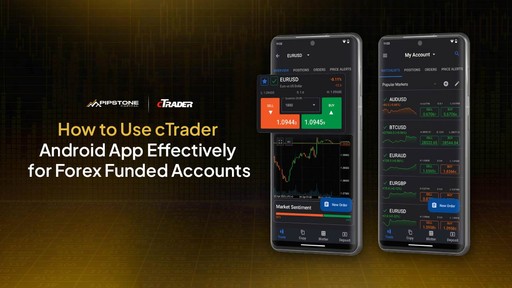
The cTrader Android app gives funded traders a clean setup, fast execution, and the flexibility to manage trades anywhere without losing control. When you’re trading a forex funded account, you don’t have room for mistakes. The rules are strict. The drawdown limits are tight, so small mistakes can stack up fast if you’re not careful.
This guide walks you through how to use the cTrader Android app the right way so you protect your account and trade with confidence.
Set Up the App the Right Way
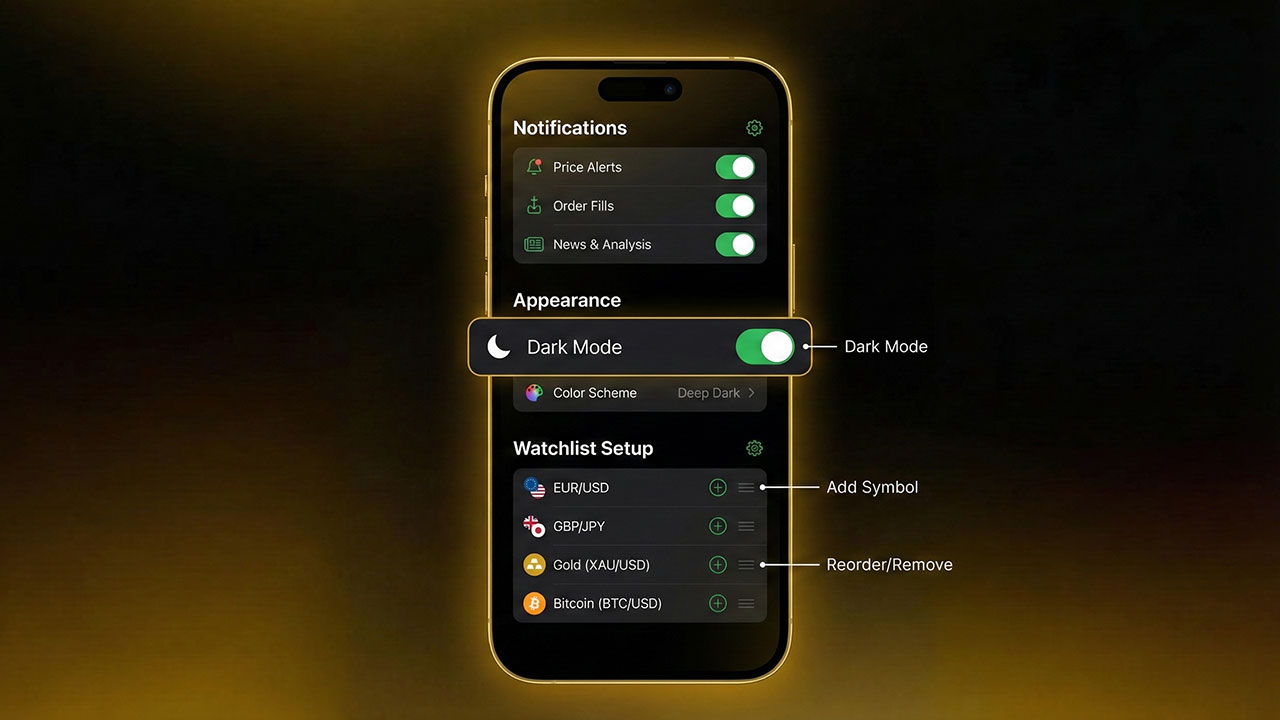
Small setup changes improve your speed and reduce the chance of rushed decisions.
Start with these steps:
Log in with your funded account credentials.
Sync watchlists from desktop.
Enable push notifications.
Switch to dark mode if it helps you see candles better.
Turn on one-tap trading only if you’re comfortable.
Put your main pairs at the top of your watchlist.
A clean setup saves you time when price moves fast. It also stops you from scanning random pairs that aren’t part of your plan, which often leads to impulse trades you later regret.
Customize Your Chart Layout
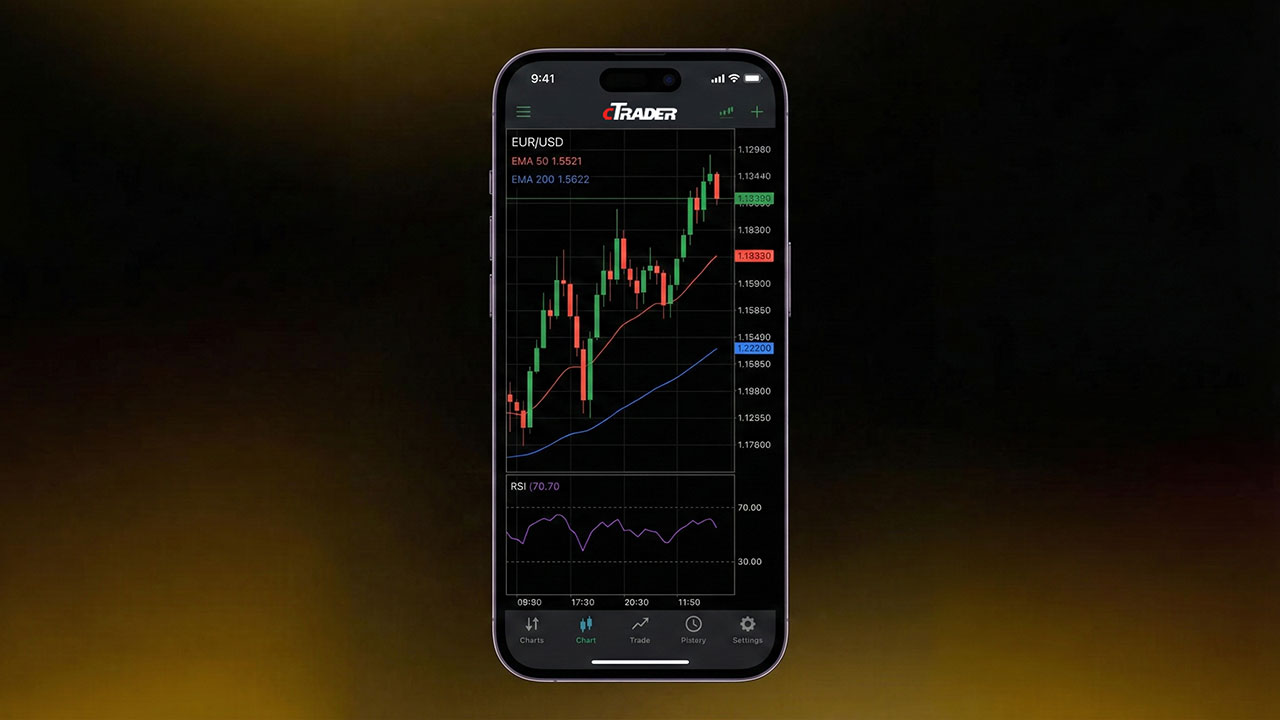
Your chart must be simple and clear. This helps you read price action fast and act with confidence.
Recommended settings:
Timeframes: M5, M15, H1, H4.
Candles: standard candlesticks.
Indicators: keep it to two or three.
Use a saved chart template.
Zoom so you see the last 20–30 candles.
Useful indicators for mobile:
EMA 50
EMA 200
RSI 14
ATR for volatility
Funded accounts require fast decisions because you often have seconds, not minutes, to react when price shifts. Overloading your screen slows you down and causes mistakes. If you want a deeper breakdown on how cTrader settings support funded trading, check out the cTrader app settings guide for prop traders.
Master the Order Panel
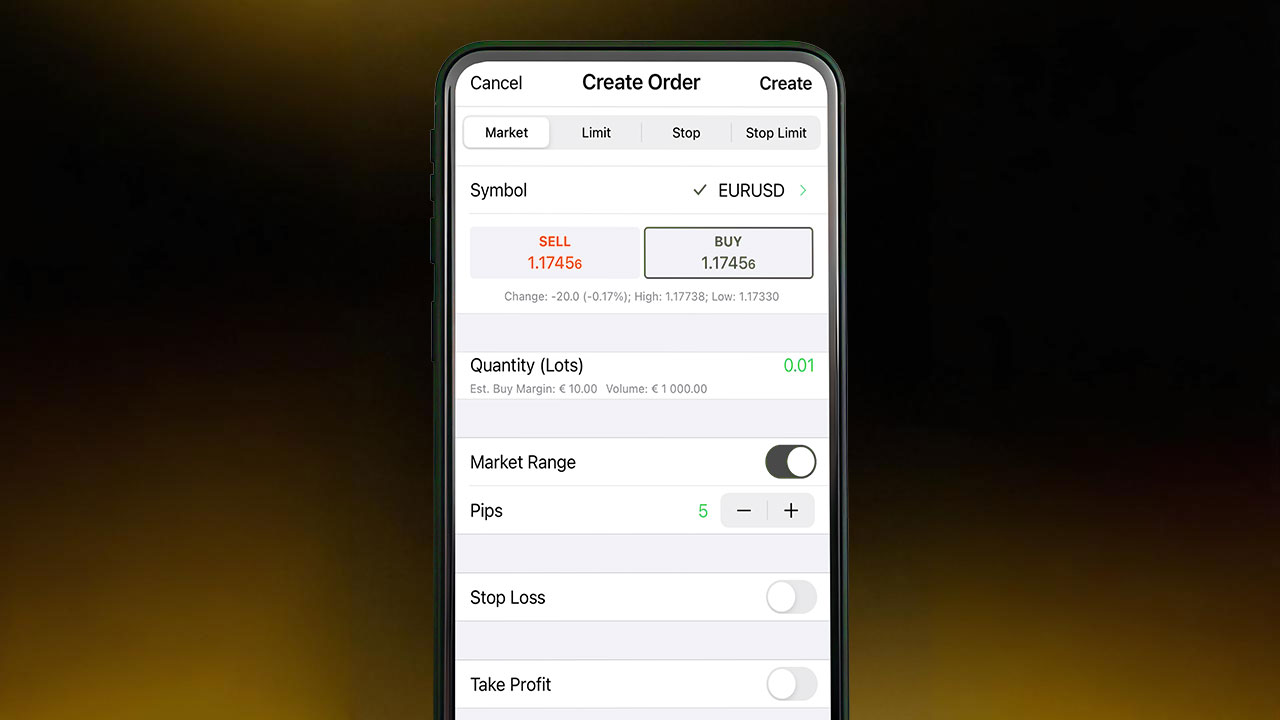
Execution speed matters when your account has strict rules.
Get familiar with:
One-tap execution.
Market orders and limit orders.
Stop loss and take profit fields.
Volume selector.
Tick chart for quick confirmation.
Break-even modification with one swipe.
Tip: Always place your stop loss first because it anchors your risk before anything else and stops you from entering blindly. Funded accounts are unforgiving with drawdown spikes.
For a simple walkthrough on the basics of placing trades on the platform, read our article about how to use cTrader.
Lot Size Management for Funded Accounts
You must control risk on every mobile trade because one wrong tap or rushed decision can wipe out a full day’s progress.
Safe approach: risk 0.5% or less on mobile. Mistakes are more likely on a small screen because it’s easy to tap the wrong lot size or rush an order when the layout feels tight.
Steps to size lots correctly:
Use cTrader’s pip calculator.
Save preset lot sizes.
Choose your SL first.
Adjust lot size after setting your SL.
Double-check before tapping buy or sell.
A single oversized trade is one of the main reasons traders fail funded challenges because one bad move can hit your drawdown limit before you even have a chance to fix it. Pipstone Capital also covers this well in their risk management strategy for funded accounts article, which explains how small risk protects you on funded accounts.

Use Push Notifications to Stay in Control
Push alerts help you manage trades without having to stare at charts, so you stay updated even when you’re away from the screen for a moment.
You can get alerts for:
Price levels.
Breakouts.
Filled orders.
SL/TP hits.
Margin warnings.
These alerts keep you aligned with your plan by reminding you of key moments, so you don’t drift away from the setups you intended to trade.
Build Simple Watchlists
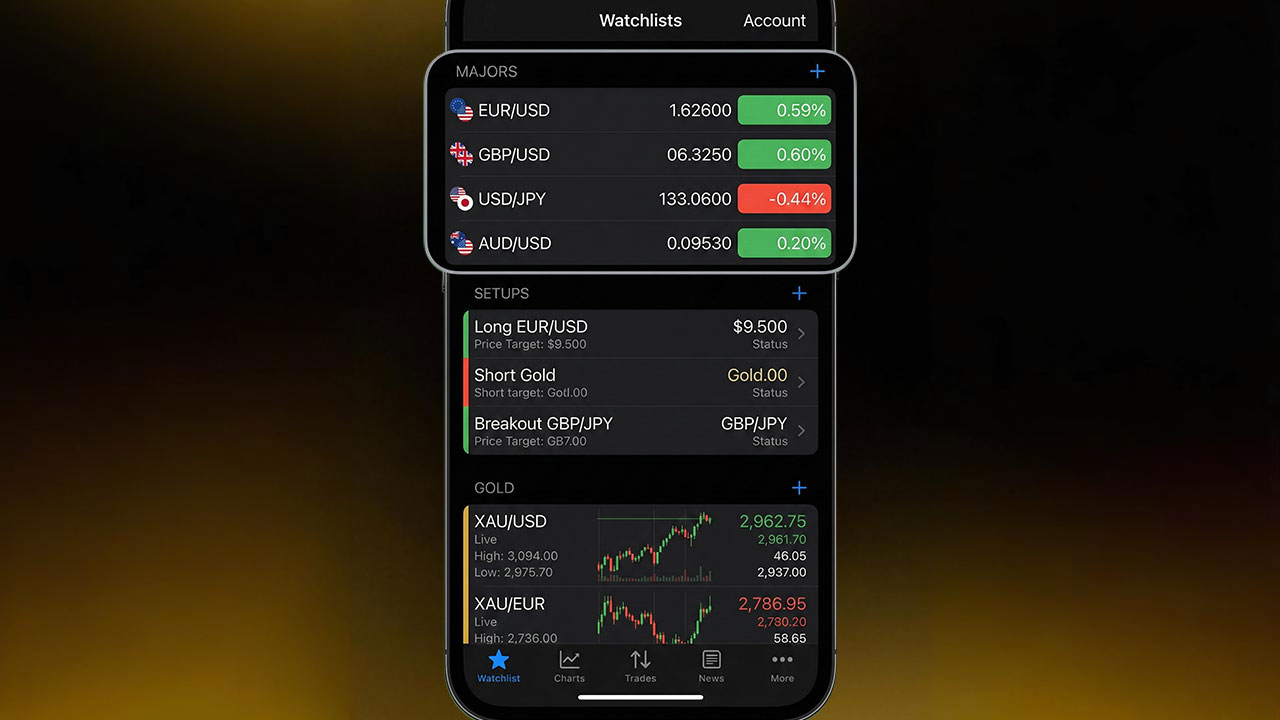
A clean watchlist boosts focus because it removes the clutter and helps you see only the pairs that actually matter for your setups.
Create separate lists for:
Major pairs.
Setup-ready pairs.
Pairs affected by news.
XAU/USD if you trade gold.
Fewer pairs reduce noise and help you stay consistent because you’re not jumping between charts and forcing trades that don’t fit your plan.
Avoid These Common Mobile Trading Mistakes
These mistakes crush funded accounts:
Taking trades during high spreads.
Using one-tap trading without caution.
Forgetting to set SL.
Trading big moves during news.
Bouncing between pairs with no plan.
Adding too many indicators.
Entering trades without checking higher timeframes.
Avoid these and your funded account will last longer because fewer mistakes mean steadier equity and less pressure to recover from avoidable losses. If you want more examples of how traders break rules on different platforms, the cTrader vs MetaTrader 5 comparison blog gives helpful context:
Sync Your Mobile App With Desktop
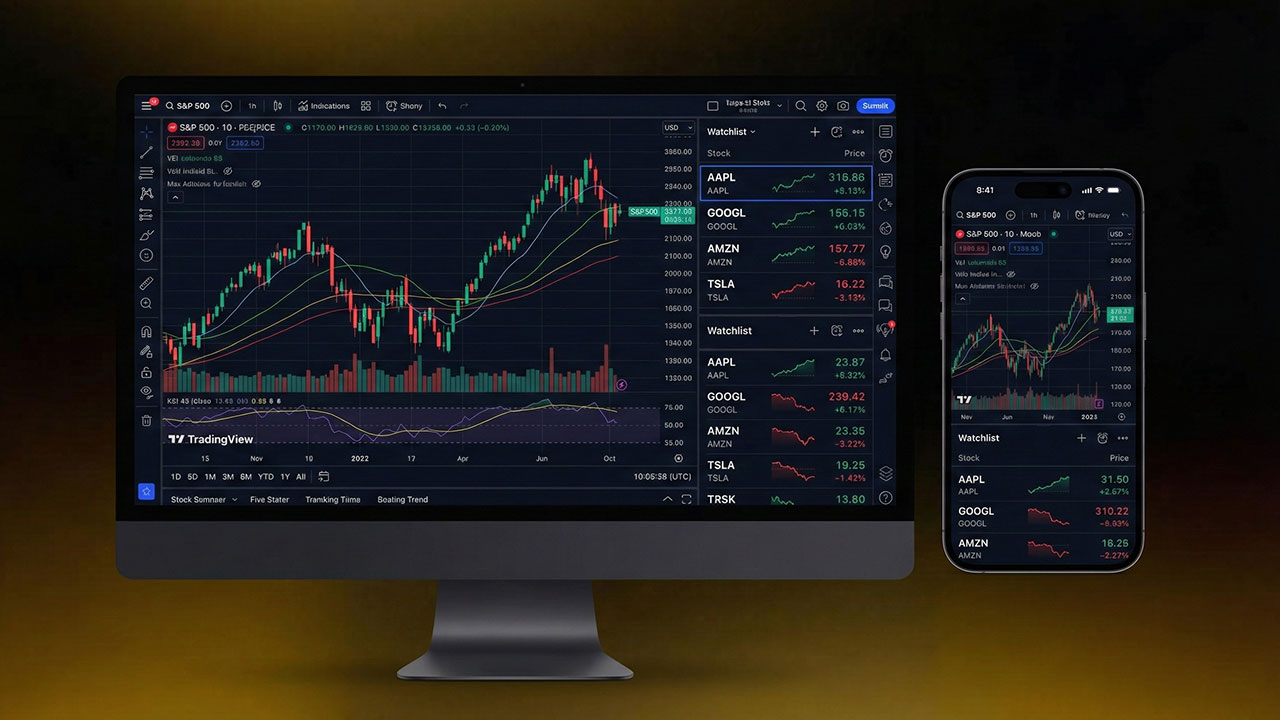
Consistency matters because it keeps your strategy stable across devices and stops you from second-guessing your setups.
Make sure your desktop and mobile match:
Templates.
Watchlists.
Drawings.
Alerts.
Indicators.
If your setups look different across devices, you’ll make wrong calls.
Best Times to Trade From the Android App
Mobile trading should be deliberate, not random, because taking quick unplanned trades on a small screen usually leads to sloppy entries and avoidable losses.
Use the cTrader Android app when:
You’re managing an active trade.
You’re monitoring alerts.
You’re closing partial profits.
You’re watching news impacts.
You already planned a setup on desktop.
Avoid fresh setups on mobile unless you’re fully focused because rushed decisions on a small screen often lead to entries you wouldn’t take on your main setup.
Why cTrader Is Great for Funded Accounts
The app is fast, clean, and reliable because it’s built to handle quick decisions without lag or confusing menus.
You get:
Fast execution.
Transparent spreads.
Smooth charting.
Simple order panel.
Depth-of-market features.
Stable performance.
This makes it a strong choice for funded traders who need accuracy because tight rules leave no room for slow execution or unclear charting.
cTrader + Pipstone Capital: A Strong Combo for Funded Traders
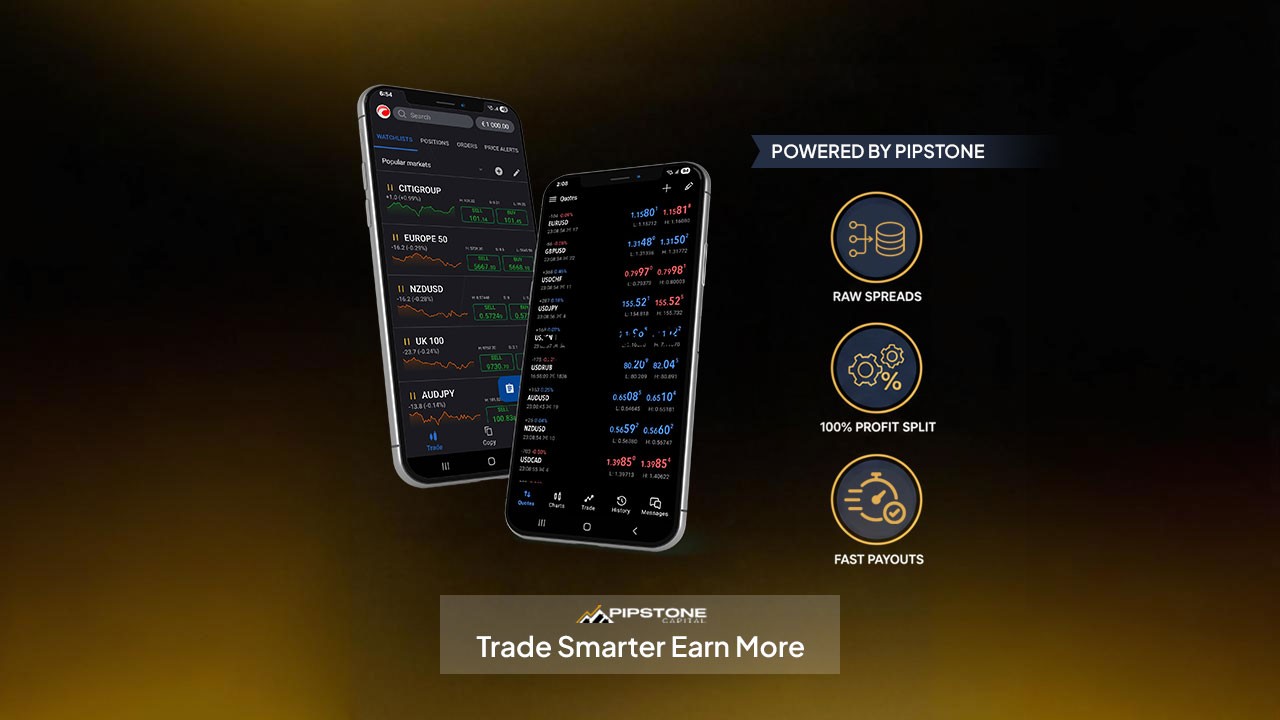
If you want the cTrader mobile experience to actually work in your favor, the prop firm behind it matters. This is where Pipstone Capital fits well for funded traders who care about fair conditions.
Pipstone runs on raw spreads and fast execution, so the trades you place on cTrader feel clean and responsive. You don’t deal with weird delays or widened spreads that eat into your stops. Their payout structure also gives you more breathing room. With profit splits that go up to 100%, your good trades matter more, and you keep more of what you earn.
They also allow news trading, fast payouts, and no time limits on challenges, which pairs well with cTrader’s fast order flow. It creates a setup where you can trade confidently on mobile without worrying about hidden restrictions.
This mix makes the whole trading experience feel smoother, especially if you’re active during volatile sessions and need a fair backend to support your strategy.
FAQs About cTrader vs MT5
Is the cTrader Android app reliable for funded accounts?
Yes. It’s stable, fast, and doesn’t lag during normal market conditions, which helps you stick to your rules.
Can I pass a funded challenge using only the mobile app?
You can, but it’s easier when you plan setups on desktop and use mobile only for management.
Are indicators limited on the Android app?
You get all the key indicators you need. You don’t need more than two or three on mobile anyway.
Does one‑tap trading help or hurt funded traders?
It helps when you’re experienced. If you’re new, it can cause rushed entries.
Should I trade news on mobile?
Only if your prop firm allows it and you’re confident. News moves fast, and mobile reactions are harder.



How to Use cTrader Android App Effectively for Forex Funded Accounts
The cTrader Android app gives funded traders a clean setup, fast execution, and the flexibility to manage trades anywhere without losing control. When you’re trading a forex funded account, you don’t have room for mistakes. The rules are strict. The drawdown limits are tight, so small mistakes can stack up fast if you’re not careful.
This guide walks you through how to use the cTrader Android app the right way so you protect your account and trade with confidence.
Set Up the App the Right Way
Small setup changes improve your speed and reduce the chance of rushed decisions.
Start with these steps:
Log in with your funded account credentials.
Sync watchlists from desktop.
Enable push notifications.
Switch to dark mode if it helps you see candles better.
Turn on one-tap trading only if you’re comfortable.
Put your main pairs at the top of your watchlist.
A clean setup saves you time when price moves fast. It also stops you from scanning random pairs that aren’t part of your plan, which often leads to impulse trades you later regret.
Customize Your Chart Layout
Your chart must be simple and clear. This helps you read price action fast and act with confidence.
Recommended settings:
Timeframes: M5, M15, H1, H4.
Candles: standard candlesticks.
Indicators: keep it to two or three.
Use a saved chart template.
Zoom so you see the last 20–30 candles.
Useful indicators for mobile:
EMA 50
EMA 200
RSI 14
ATR for volatility
Funded accounts require fast decisions because you often have seconds, not minutes, to react when price shifts. Overloading your screen slows you down and causes mistakes. If you want a deeper breakdown on how cTrader settings support funded trading, check out the cTrader app settings guide for prop traders.
Master the Order Panel
Execution speed matters when your account has strict rules.
Get familiar with:
One-tap execution.
Market orders and limit orders.
Stop loss and take profit fields.
Volume selector.
Tick chart for quick confirmation.
Break-even modification with one swipe.
Tip: Always place your stop loss first because it anchors your risk before anything else and stops you from entering blindly. Funded accounts are unforgiving with drawdown spikes.
For a simple walkthrough on the basics of placing trades on the platform, read our article about how to use cTrader.
Lot Size Management for Funded Accounts
You must control risk on every mobile trade because one wrong tap or rushed decision can wipe out a full day’s progress.
Safe approach: risk 0.5% or less on mobile. Mistakes are more likely on a small screen because it’s easy to tap the wrong lot size or rush an order when the layout feels tight.
Steps to size lots correctly:
Use cTrader’s pip calculator.
Save preset lot sizes.
Choose your SL first.
Adjust lot size after setting your SL.
Double-check before tapping buy or sell.
A single oversized trade is one of the main reasons traders fail funded challenges because one bad move can hit your drawdown limit before you even have a chance to fix it. Pipstone Capital also covers this well in their risk management strategy for funded accounts article, which explains how small risk protects you on funded accounts.
Use Push Notifications to Stay in Control
Push alerts help you manage trades without having to stare at charts, so you stay updated even when you’re away from the screen for a moment.
You can get alerts for:
Price levels.
Breakouts.
Filled orders.
SL/TP hits.
Margin warnings.
These alerts keep you aligned with your plan by reminding you of key moments, so you don’t drift away from the setups you intended to trade.
Build Simple Watchlists
A clean watchlist boosts focus because it removes the clutter and helps you see only the pairs that actually matter for your setups.
Create separate lists for:
Major pairs.
Setup-ready pairs.
Pairs affected by news.
XAU/USD if you trade gold.
Fewer pairs reduce noise and help you stay consistent because you’re not jumping between charts and forcing trades that don’t fit your plan.
Avoid These Common Mobile Trading Mistakes
These mistakes crush funded accounts:
Taking trades during high spreads.
Using one-tap trading without caution.
Forgetting to set SL.
Trading big moves during news.
Bouncing between pairs with no plan.
Adding too many indicators.
Entering trades without checking higher timeframes.
Avoid these and your funded account will last longer because fewer mistakes mean steadier equity and less pressure to recover from avoidable losses. If you want more examples of how traders break rules on different platforms, the cTrader vs MetaTrader 5 comparison blog gives helpful context:
Sync Your Mobile App With Desktop
Consistency matters because it keeps your strategy stable across devices and stops you from second-guessing your setups.
Make sure your desktop and mobile match:
Templates.
Watchlists.
Drawings.
Alerts.
Indicators.
If your setups look different across devices, you’ll make wrong calls.
Best Times to Trade From the Android App
Mobile trading should be deliberate, not random, because taking quick unplanned trades on a small screen usually leads to sloppy entries and avoidable losses.
Use the cTrader Android app when:
You’re managing an active trade.
You’re monitoring alerts.
You’re closing partial profits.
You’re watching news impacts.
You already planned a setup on desktop.
Avoid fresh setups on mobile unless you’re fully focused because rushed decisions on a small screen often lead to entries you wouldn’t take on your main setup.
Why cTrader Is Great for Funded Accounts
The app is fast, clean, and reliable because it’s built to handle quick decisions without lag or confusing menus.
You get:
Fast execution.
Transparent spreads.
Smooth charting.
Simple order panel.
Depth-of-market features.
Stable performance.
This makes it a strong choice for funded traders who need accuracy because tight rules leave no room for slow execution or unclear charting.
cTrader + Pipstone Capital: A Strong Combo for Funded Traders
If you want the cTrader mobile experience to actually work in your favor, the prop firm behind it matters. This is where Pipstone Capital fits well for funded traders who care about fair conditions.
Pipstone runs on raw spreads and fast execution, so the trades you place on cTrader feel clean and responsive. You don’t deal with weird delays or widened spreads that eat into your stops. Their payout structure also gives you more breathing room. With profit splits that go up to 100%, your good trades matter more, and you keep more of what you earn.
They also allow news trading, fast payouts, and no time limits on challenges, which pairs well with cTrader’s fast order flow. It creates a setup where you can trade confidently on mobile without worrying about hidden restrictions.
This mix makes the whole trading experience feel smoother, especially if you’re active during volatile sessions and need a fair backend to support your strategy.
FAQs About cTrader vs MT5
Is the cTrader Android app reliable for funded accounts?
Yes. It’s stable, fast, and doesn’t lag during normal market conditions, which helps you stick to your rules.
Can I pass a funded challenge using only the mobile app?
You can, but it’s easier when you plan setups on desktop and use mobile only for management.
Are indicators limited on the Android app?
You get all the key indicators you need. You don’t need more than two or three on mobile anyway.
Does one‑tap trading help or hurt funded traders?
It helps when you’re experienced. If you’re new, it can cause rushed entries.
Should I trade news on mobile?
Only if your prop firm allows it and you’re confident. News moves fast, and mobile reactions are harder.
